
 Digital Recipe
 Digital Planner
 Travel Planner
your family’s command center
Home Management Binder: What to Include and How to Set One Up
A home management binder is one place for everything that keeps your house running: meals, cleaning, bills, kids’ schedules, medical details and emergency info. This guide covers the 9 sections worth having, real examples of what to write in each, and a weekend plan to build yours.

The short answer
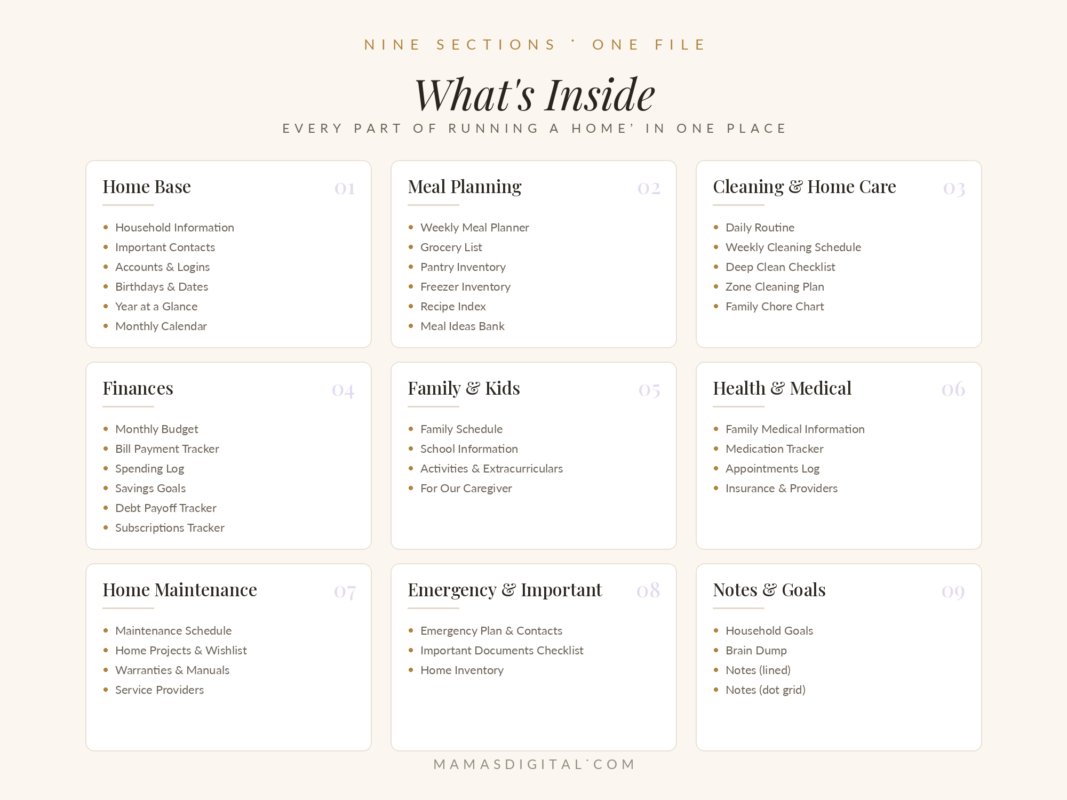
A home management binder (also called a household binder or family binder) is a single organized place, paper or digital, for the information and routines that run your home. A good one has 9 sections: Home Base, Meal Planning, Cleaning, Finances, Family & Kids, Health & Medical, Home Maintenance, Emergency & Important, and Notes & Goals. The point is simple: if you were sick for a week, anyone in your family could open it and keep the house running.
Why it helps
What a home binder actually fixes
Most of running a home isn’t hard work. It’s remembering: when the boiler was last serviced, which day the swimming fees are due, what the pediatrician said about the cough medicine, where the passports are. A binder takes that load out of your head and puts it somewhere the whole family can find it.
Less mental load
You stop being the only person who knows where everything is.
Easy handovers
A partner, grandparent or babysitter can take over without twenty texts.
Fewer surprises
Bills, renewals and maintenance stop catching you off guard.
The 9 sections
What to include in a home management binder
You don’t need all of these on day one. Start with the sections that cause you the most stress and add the rest over time. The last column is a rough guide to how often each section gets touched.
| Section | What goes in it | Why it matters | Update |
|---|---|---|---|
| 1. Home Base | Household info, important contacts, birthdays & dates, year at a glance, monthly calendar | The page you’ll open most | Monthly |
| 2. Meal Planning | Weekly meal plan, grocery list, pantry & freezer inventory, recipe index, meal ideas bank | Ends the daily “what’s for dinner?” | Weekly |
| 3. Cleaning & Home Care | Daily routine, weekly cleaning schedule, deep-clean checklist, zone cleaning, family chore chart | Shares the work and keeps it small | Weekly |
| 4. Finances | Monthly budget, bill tracker, spending log, savings goals, debt payoff, subscriptions | No missed bills or forgotten subscriptions | Monthly |
| 5. Family & Kids | Family schedule, school info, activities, caregiver page | Anyone can do the school run | Each term |
| 6. Health & Medical | Medical info, medication tracker, appointments log, insurance & providers | Answers ready at every appointment | As needed |
| 7. Home Maintenance | Maintenance schedule, projects & wishlist, warranties & manuals, service providers | Small fixes before big repairs | Seasonally |
| 8. Emergency & Important | Emergency plan & contacts, important documents checklist, home inventory | Calm when something goes wrong | Yearly |
| 9. Notes & Goals | Household goals, brain dump, lined and dot-grid notes | Somewhere for everything else | Anytime |
Examples
What to actually write in each section
Blank templates are where most binders stall. Here are filled-in examples for the pages people find hardest to start.
Home Base: the household info page
- Bin collection: Tuesday (recycling every other week)
- Water stopcock: under the kitchen sink
- Fuse box: hallway cupboard, top shelf
- Spare keys: with the neighbor at no. 12
- Internet provider and account number
- School office phone number
Meal Planning: a week that writes its own grocery list
| Day | Dinner | Need to buy |
|---|---|---|
| Mon | Pasta bake | Pasta, cheese |
| Tue | Chicken wraps | Wraps, chicken, lettuce |
| Wed | Leftovers | — |
| Thu | Lentil soup | Red lentils, carrots |
| Fri | Homemade pizza | Pizza base, mozzarella |
Check the pantry and freezer inventory before shopping, so you only buy what’s missing.
Cleaning: zones instead of “clean the whole house”
| Day | Zone | 15-minute focus |
|---|---|---|
| Mon | Kitchen | Wipe cupboard fronts, clear the fridge |
| Tue | Bathrooms | Toilets, sinks, mirrors |
| Wed | Living room | Dust, vacuum under cushions |
| Thu | Bedrooms | Change sheets, clear surfaces |
| Fri | Entryway | Shoes, coats, sweep |
| Weekend | Rest | Only the daily basics |
Finances: the subscriptions tracker
This one page often pays for the whole binder. List every recurring payment, then ask “did we use this last month?”
| Subscription | Monthly cost | Renews | Keep? |
|---|---|---|---|
| Video streaming | $15.49 | 3rd | Yes |
| Music streaming | $10.99 | 12th | Yes |
| Cloud storage | $2.99 | 20th | Yes |
| Fitness app | $12.99 | 27th | Cancel |
Example figures only.
Family & Kids: the caregiver page
- Bedtimes: 7:30 (youngest), 8:30 (eldest)
- Allergies: none / list them clearly
- Screen time: 30 minutes after homework
- Who can collect from school: Mom, Dad, Grandma
- Doctor and nearest hospital
- Where the first-aid kit is
Home Maintenance: a simple seasonal schedule
| When | Task |
|---|---|
| Monthly | Test smoke alarms, clean extractor fan filter |
| Spring | Check gutters, service air conditioning |
| Autumn | Service boiler or heater, bleed radiators |
| Yearly | Check fire extinguisher, review home insurance |
Adjust to your climate and type of home.
If you were away for a week, could someone open your binder and keep the house running? That’s the test.
Paper or digital
Printable binder or digital binder?
Both work. The right choice depends on where you already plan and who else needs to see it.
| Printable (paper) | Digital (tablet) | |
|---|---|---|
| Setup | Print, hole-punch, add tabs | Import one file into your app |
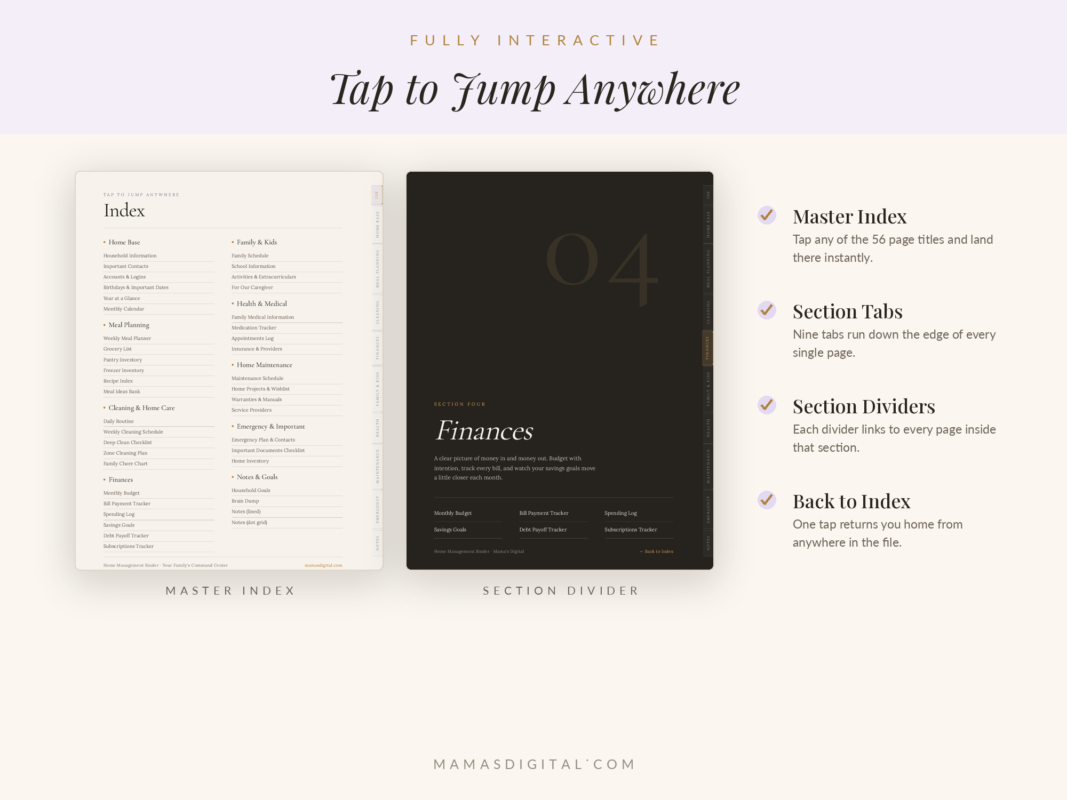
| Finding things | Flip to the tab | Tap the hyperlinked tab |
| Fresh pages | Reprint each time | Duplicate the page in seconds |
| Sharing | Lives in one spot in the house | Export or share pages from your app |
| Cost over time | Ink, paper, binder | One-off purchase, no reprints |
| Best for | Families who want it on the kitchen counter | Moms who already plan on an iPad or Android tablet |
A popular middle ground: keep the binder digital, and print just the emergency contacts and caregiver page for the fridge.
Setup plan
Build your binder in one weekend
Trying to fill every page at once is why binders get abandoned. Spread it across two days in short blocks:
| When | Time | Do this |
|---|---|---|
| Saturday morning | 30 min | Home Base: contacts, household info, birthdays |
| Saturday afternoon | 30 min | Meal Planning: plan next week and write the grocery list |
| Saturday evening | 20 min | Finances: list every bill and subscription |
| Sunday morning | 30 min | Family & Kids: school info, activities, caregiver page |
| Sunday afternoon | 30 min | Emergency & Health: contacts, medical info, documents checklist |
| Later | 15 min a week | Cleaning, maintenance and goals, one section a week |
Upkeep
Keeping it up to date without effort
A binder is only useful if it’s current. Tie each check to something you already do:
| Rhythm | Check | Tie it to |
|---|---|---|
| Daily | Daily routine and chore chart | After the school run |
| Weekly | Meal plan, grocery list, cleaning zones | Sunday planning |
| Monthly | Budget, bills, subscriptions, calendar | Payday |
| Each term | School info, activities, caregiver page | Start of term |
| Yearly | Emergency plan, documents, home inventory, insurance | New Year or a birthday |
Stay safe
What not to put in your binder
A binder gathers sensitive information in one place, which is exactly why it’s useful, and why it needs a little care.
- Full passwords. Write a hint or “saved in password manager” instead.
- Full card or bank account numbers. The last four digits are enough to identify an account.
- Copies of passports and ID. Record where the originals are kept, not the numbers themselves.
- An unlocked tablet. If your binder is digital, keep a passcode on the device and turn on cloud backup.
Avoid these
Common home binder mistakes
Making it too pretty to use
A binder you’re afraid to scribble in won’t get updated. Function beats decoration.
Filling every page on day one
Start with three sections. Add one a week.
Keeping it a secret
Show your partner and older kids where it is and what’s in it. A binder only one person knows about doesn’t reduce your load.
Duplicating your planner
Your planner is for this week. The binder is for information that stays true for months. Keep them separate, or use a planner with a home section, like the 2027 family planner.
FAQ
Home management binder questions
What is a home management binder?
It’s one organized place, on paper or on a tablet, for the information and routines that run your household: meals, cleaning, finances, kids’ schedules, health records, maintenance and emergency details.
What’s the difference between a home binder and a planner?
A planner is for time: what’s happening today and this week. A binder is for reference: information that stays true for months, like contacts, routines, warranties and medical details.
Which sections should I start with?
Home Base, Meal Planning and Finances. They’re the ones you’ll use every week, so they build the habit.
Is a digital binder dated?
Ours isn’t. The Mama’s Digital Home Management Binder is undated and reusable, so you duplicate meal plans, budgets and calendars whenever you need a fresh page.
Which apps does a digital binder work with?
It’s designed for apps such as GoodNotes and Notability, and works in PDF apps that support hyperlinks on iPad and Android tablets.
Can I use only some sections?
Yes. Skip what doesn’t apply to your household and duplicate the pages you use most.
skip the setup
The Home Management Binder
All 9 sections in one hyperlinked digital binder: a master index, clickable tabs, and undated pages you can duplicate whenever you need them. Works in GoodNotes, Notability and other PDF apps.
$13
Keep reading